How to Log Into RingCentral
The total RingCentral Solution is comprised of multiple applications that work together. However, when someone mentions the logging into RingCentral, they often refer to the RingCentral desktop application.
To log into RingCentral:
Click on the RingCentral icon - either found on your Desktop or in the Taskbar.

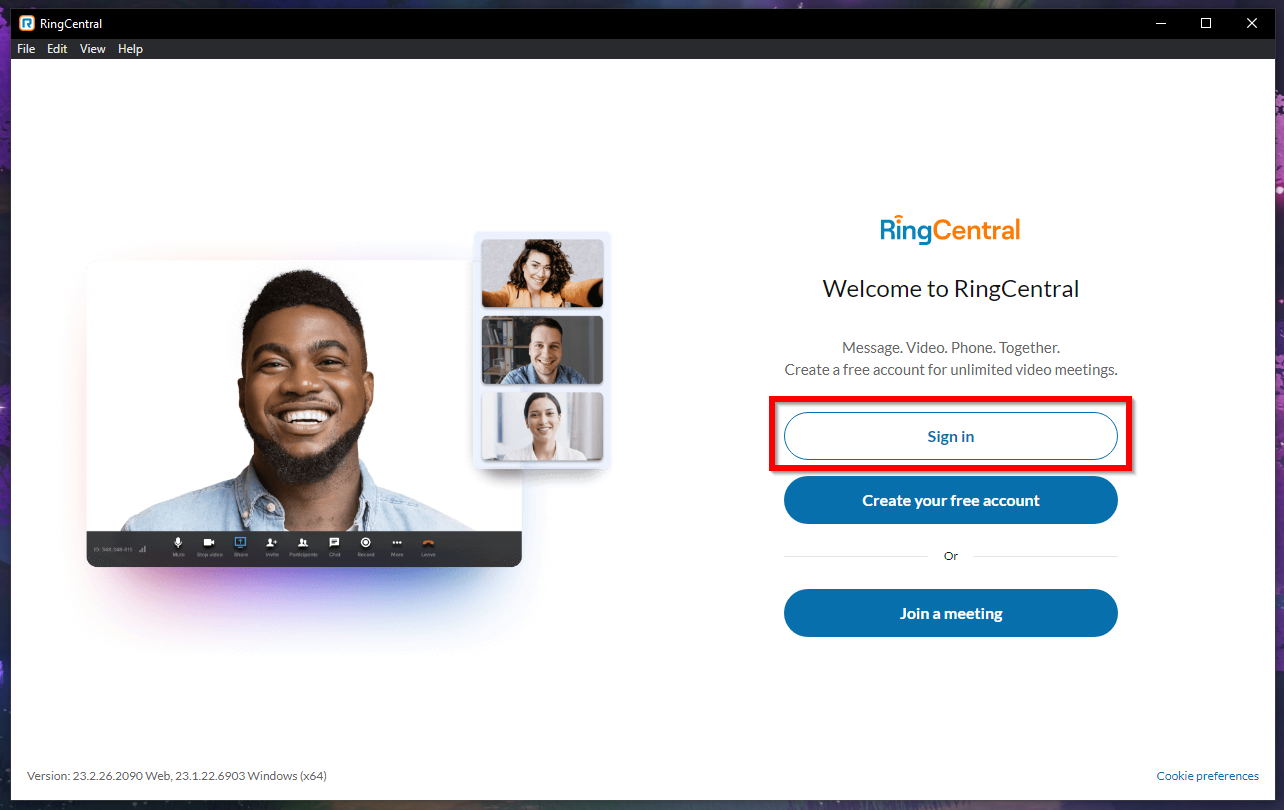
The RingCentral modal window displays.
Click on the Sign In button.
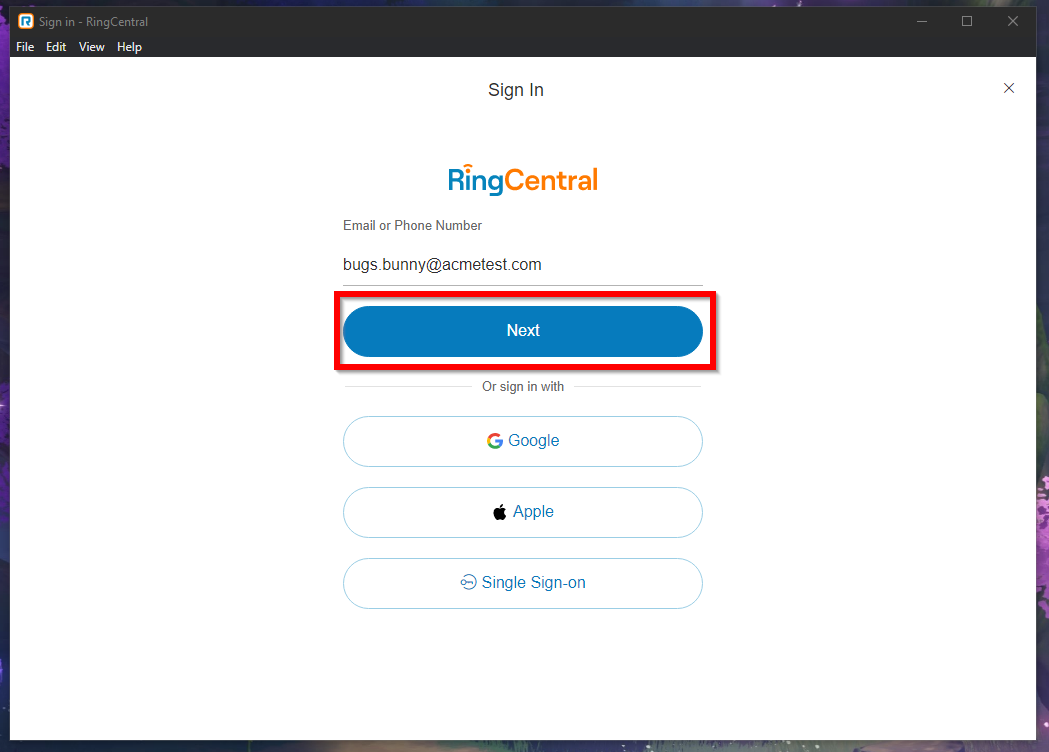
A prompt for your e-mail or phone number displays.
Enter your e-mail associated to your RingCentral account.
Click the Next button to continue.
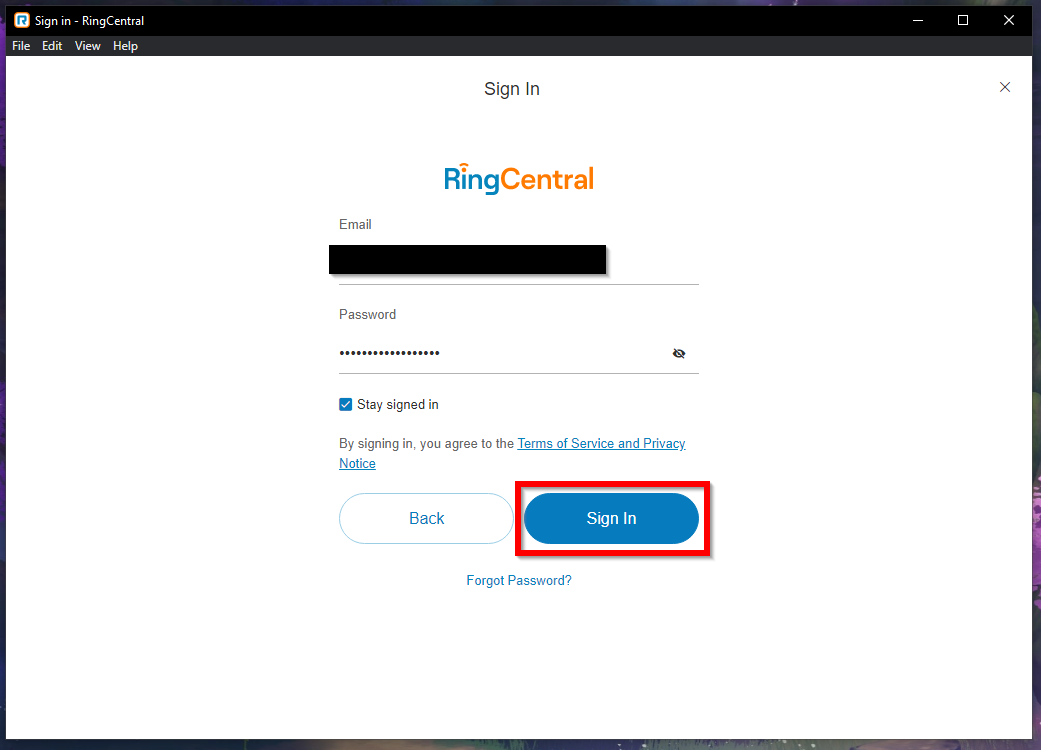
A prompt for your password displays.
Enter your password associated to your RingCentral account.
Click the Sign In button to continue.
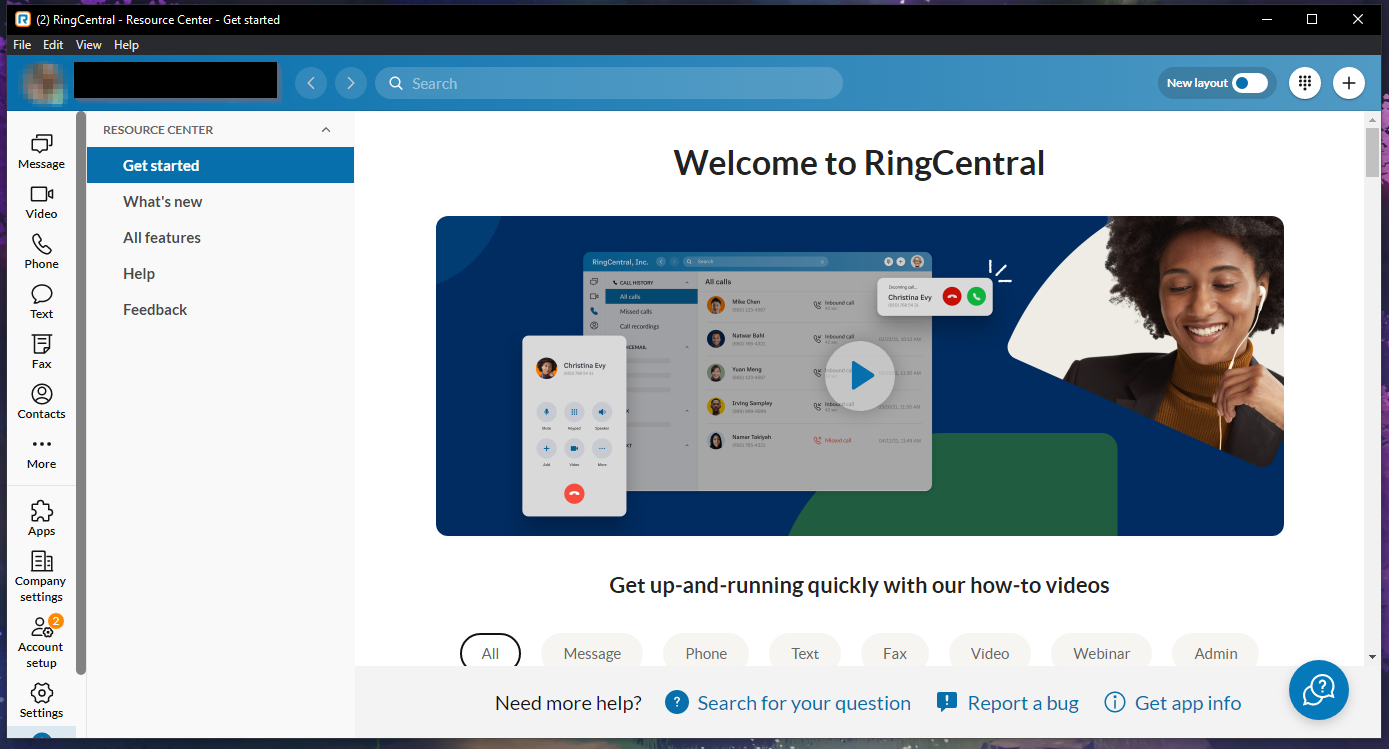
If successful, the RingCentral desktop app will sign in you in - allowing you to view and take calls.